Jeemate is the go-to mobile app for controlling Jeedom from your iPhone or Android smartphone. It includes a dedicated Matter plugin section: view your commissioned devices, add new ones by code or QR code, and let Jeemate automatically handle the entire commissioning process.
Jeemate on the Jeedom Market — Premium plugin (€10) Official documentation — jeemate.fr
What is Jeemate?
Jeemate is a mobile app for iOS and Android that connects to your Jeedom to give you full control over your home automation setup from anywhere.
It has two components:
- The mobile app — available on the App Store and Play Store
- The Jeemate plugin — installed on Jeedom via the Market, unlocks Premium features
Once the plugin is installed and the app is configured with your Jeedom address, all your devices, scenarios, and dashboards are accessible on mobile.
Prerequisites
- Matter plugin installed and active on Jeedom
- Jeemate plugin installed on Jeedom (Market → Premium → €10)
- Jeemate app installed on your phone (App Store / Play Store)
To access Jeedom outside your local network, Tailscale is the simplest and most secure option — no public exposure, no port forwarding needed.
Accessing the Matter plugin in Jeemate
In Jeemate, open the main menu and navigate to Plugins → Matter.
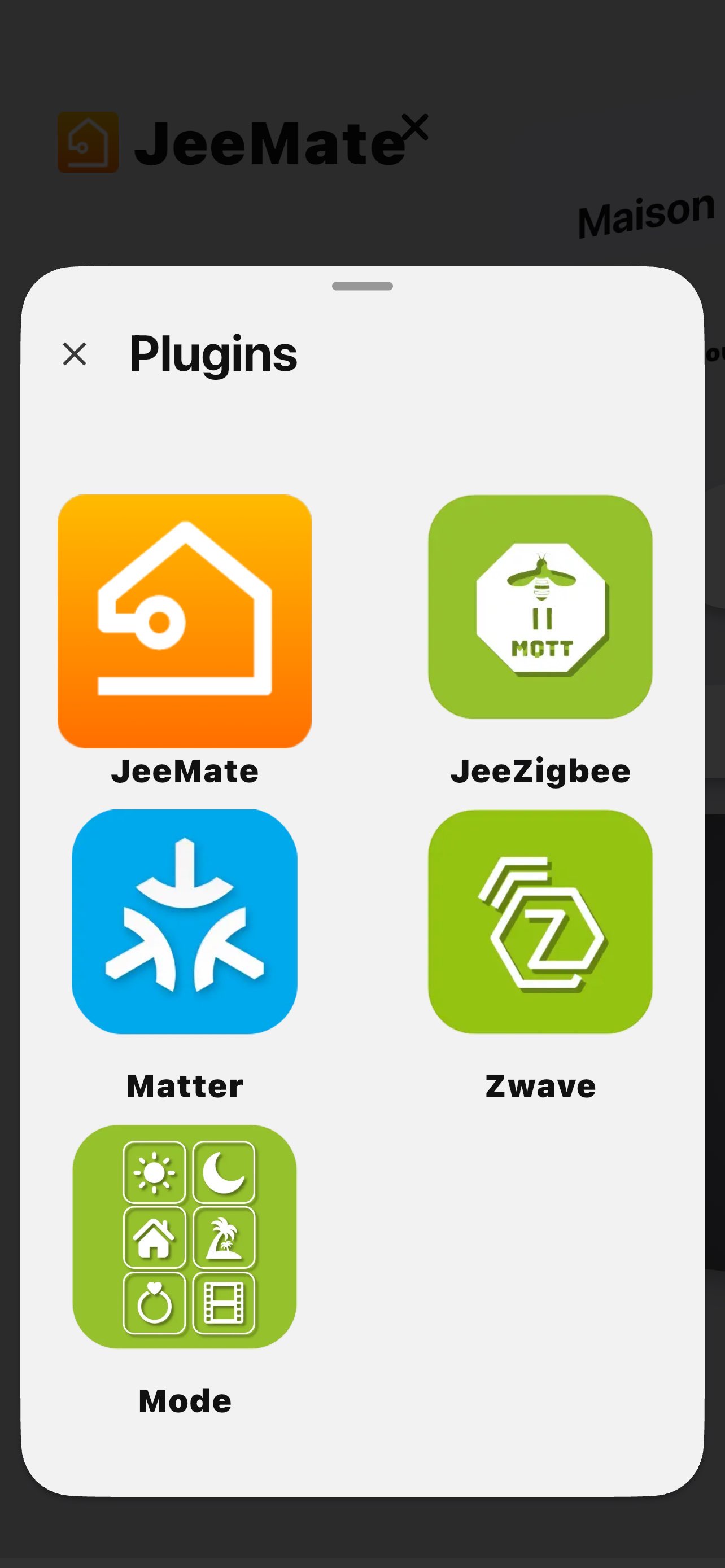
The list of all your commissioned Matter devices appears — name, availability status, device type.
Commissioning a new device
From the Plugins → Matter section, tap Add a device.
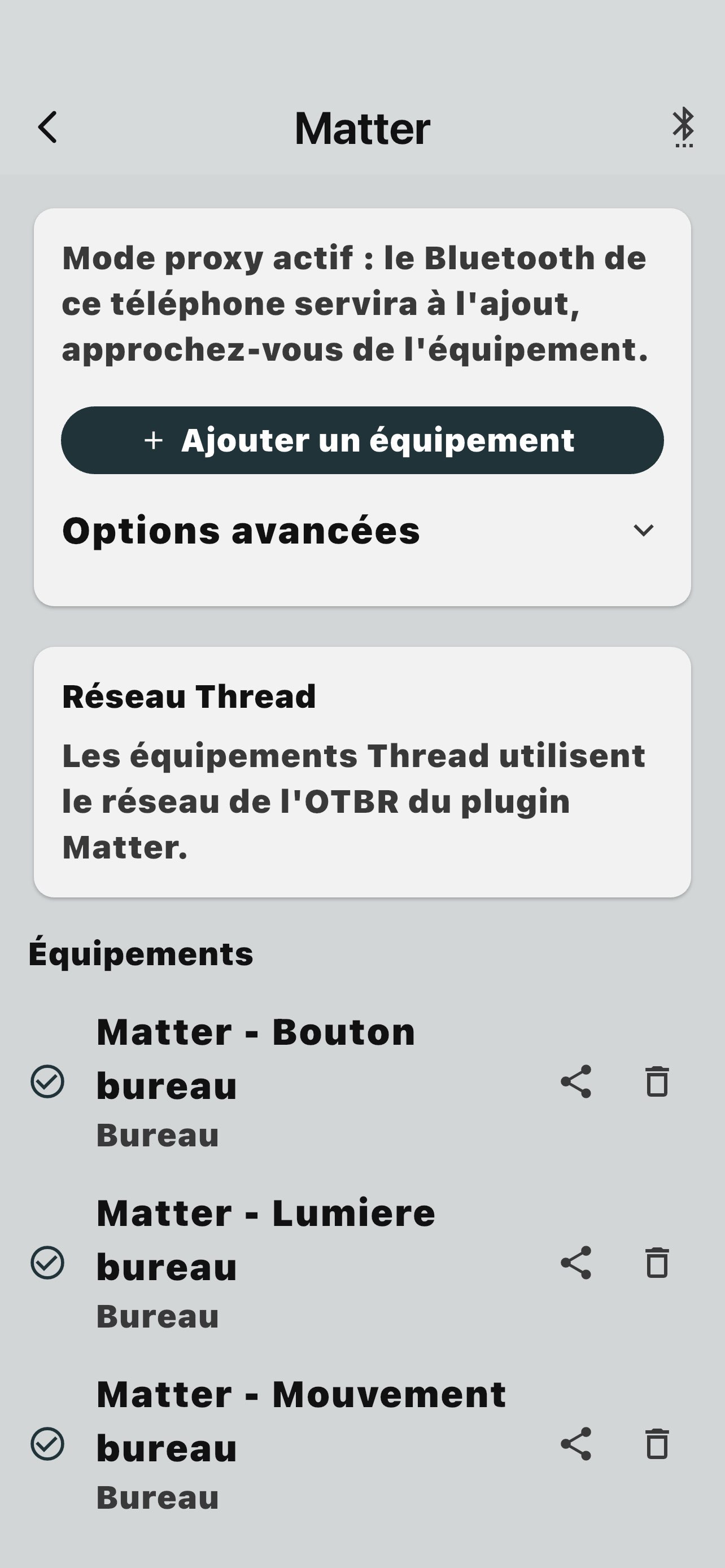
Jeemate offers two methods to enter the Matter pairing code:
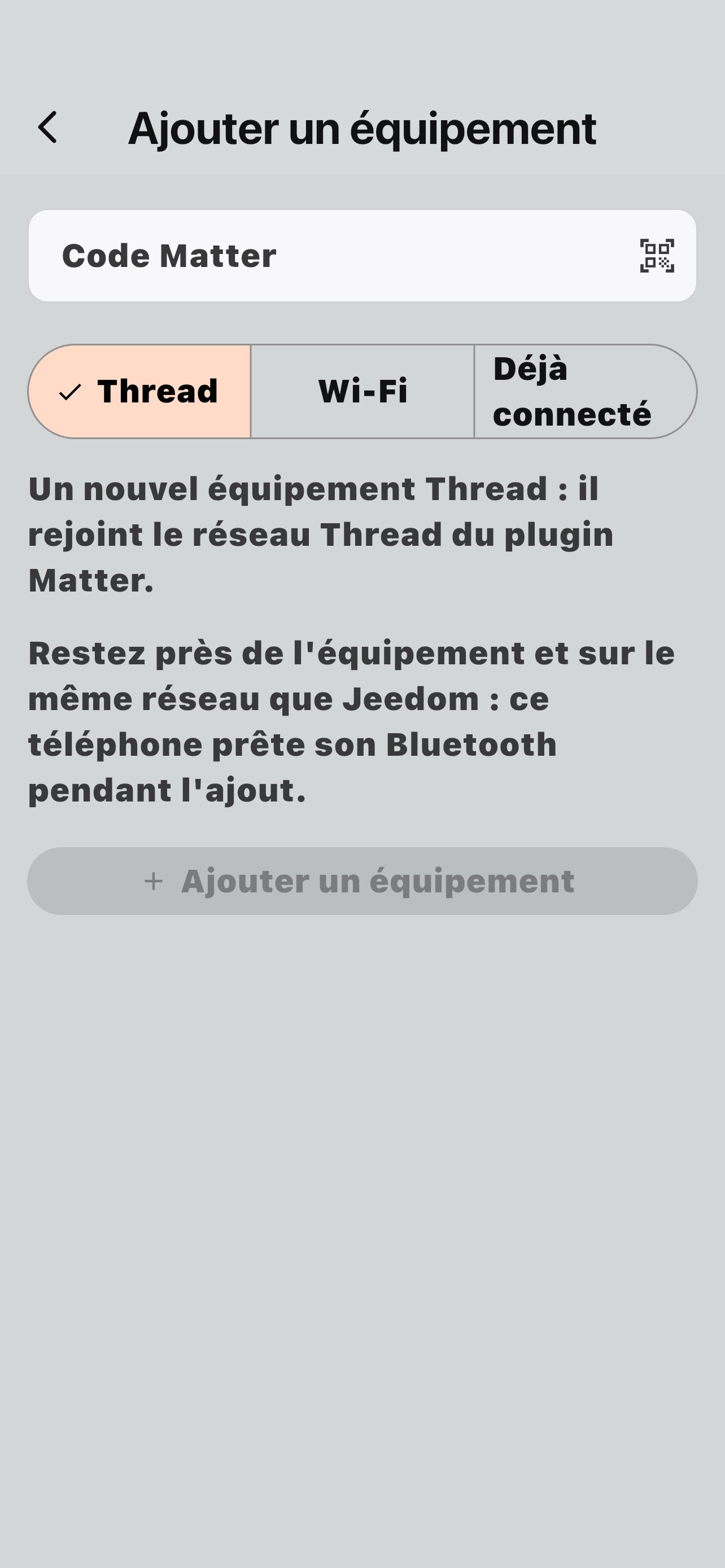
- QR code — scan the QR code printed on the device or in its manual
- Manual code — enter the Matter numeric code directly
Once the code is provided, Jeemate automatically handles the entire commissioning process:
- Automatic commissioning option configuration
- Matter daemon restart if needed
- Commissioning launched via the Jeedom plugin
- The device joins the Matter fabric and appears in the list
The phone must stay within BLE range of the device during commissioning.
Controlling Matter devices
Commissioned Matter devices also appear in your Jeemate dashboards and rooms, just like any Jeedom device:
- Turn on/off a Matter outlet or bulb
- Adjust brightness of a dimmable light
- Read sensor values — temperature, contact, motion, water leak
- Trigger Jeedom scenarios involving Matter devices
Troubleshooting
| Problem | Solution |
|---|---|
| Matter section missing in Jeemate | Check that the Jeemate plugin is installed and active on Jeedom |
| Device missing from list | Check it's enabled and visible in Jeedom — refresh Jeemate |
| Commissioning failed | Check phone is within BLE range of the device |
| Command has no effect | Check the device is Online in the Matter plugin |
| App won't connect | Check Jeedom URL and API key — test from a browser first |