
📌 Description
The Groupe plugin lets you monitor the global state of a set of commands (e.g. multiple lights, shutters, alerts) and display a widget in your Jeedom views with customizable icons / images.
📦 Installation
Like any Jeedom plugin:
- Install from the Market (or via ZIP)
- Activate the plugin
- Go to Plugins → Monitoring → Groupe
⚙️ Configuration
1) Create a device
Create a new device by clicking Add.
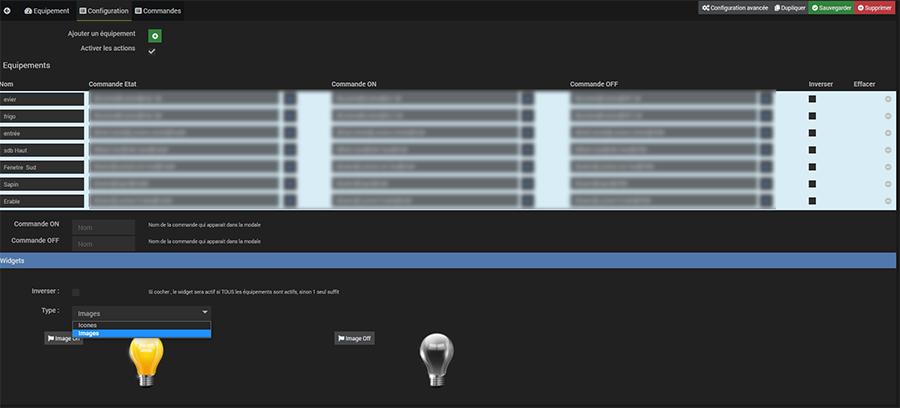
2) Device settings
Adding devices
Two methods are available to add devices to the group:
-
Manual add: click the + button to add devices one by one, then select the state command and (optionally) the ON/OFF action commands.
-
Automatic add by family: select a parent object (or "All objects"), choose a device family from:
- Lighting, Switches and relays, Shutters and blinds, Thermostats, Locks, Gates and garages, Opening detectors, Security detectors, Batteries, Generic commands
Then click Add family. The plugin automatically detects matching devices via their generic types and adds the associated state and action commands. Duplicates are ignored.
Options
- Enable actions: check to control devices (ON/OFF) from the widget.
- Invert: if checked, the state is inverted (active when the command is 0).
- Icon ON / OFF: widget icon (FontAwesome) depending on the group state.
- Image ON / OFF: widget image depending on the group state.
Tip: you can choose between icon (FontAwesome) or image depending on your preferred look.
🧾 Commands
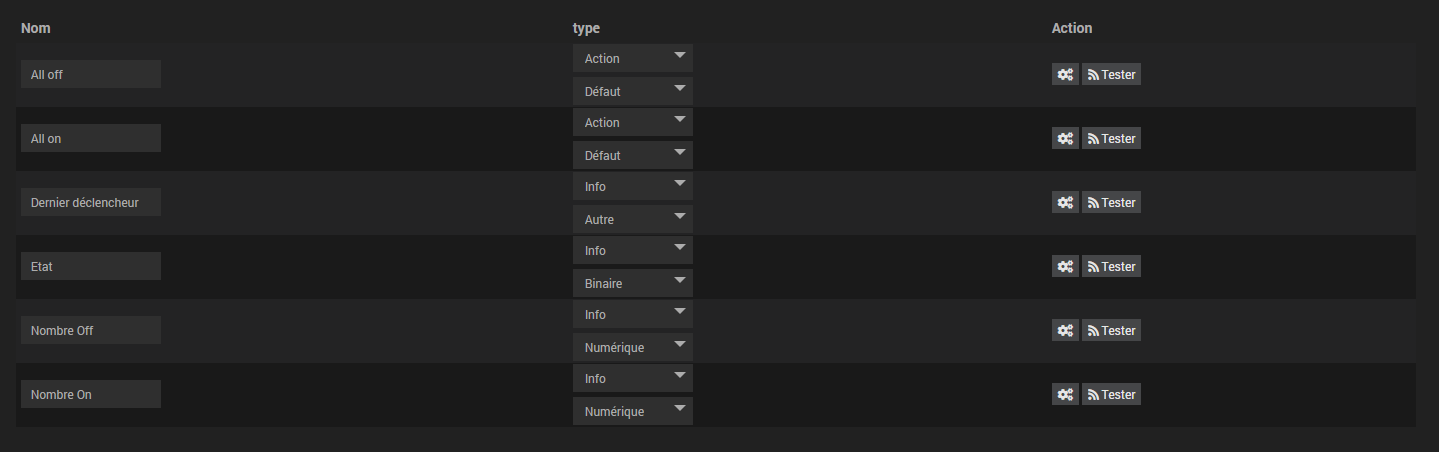
The plugin automatically creates the following commands:
- status: global group state (1 = at least one active, 0 = all inactive)
- statuson / statusoff: number of active / inactive devices
- last: name of the last device that changed state
- allon / alloff: actions to turn all on / all off (if actions are enabled)
🧩 Widget
Rendering examples:


The widget updates in real time as soon as a device changes state.
- The X / Y counter shows the number of active devices out of the total.
- The All ON / All OFF button controls the entire group (if actions are enabled).
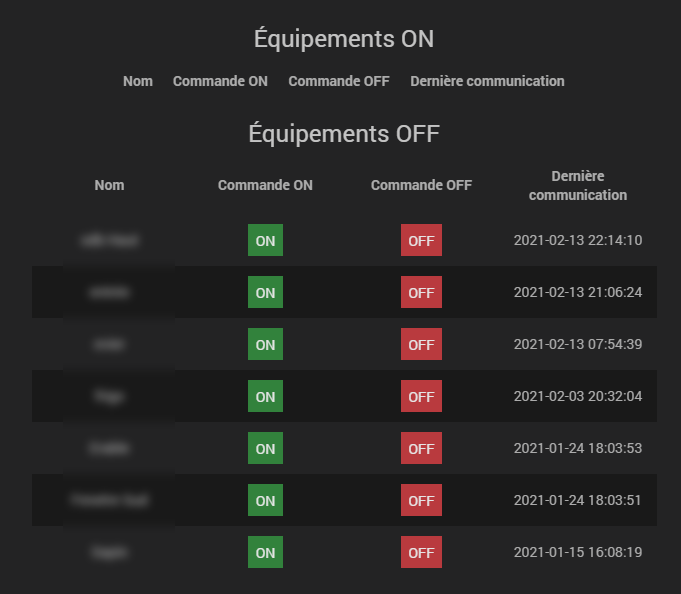
- Clicking on the icon or image opens a detail modal showing the individual state of each device with the ability to control them one by one.
💬 Forum Support
A Support Forum button is available on the plugin's main page. It automatically creates a post on the Jeedom Community forum with the plugin's diagnostic information (number of groups, widget types used).